Risky Access Management Meets Clear Signals
COMPANY
Opal Security
DURATION
4 Bi-Weekly Sprints
ROLE
Lead Product Designer
OVERVIEW
From product-led to sales-led, with a visualization at the center of the pitch
Background
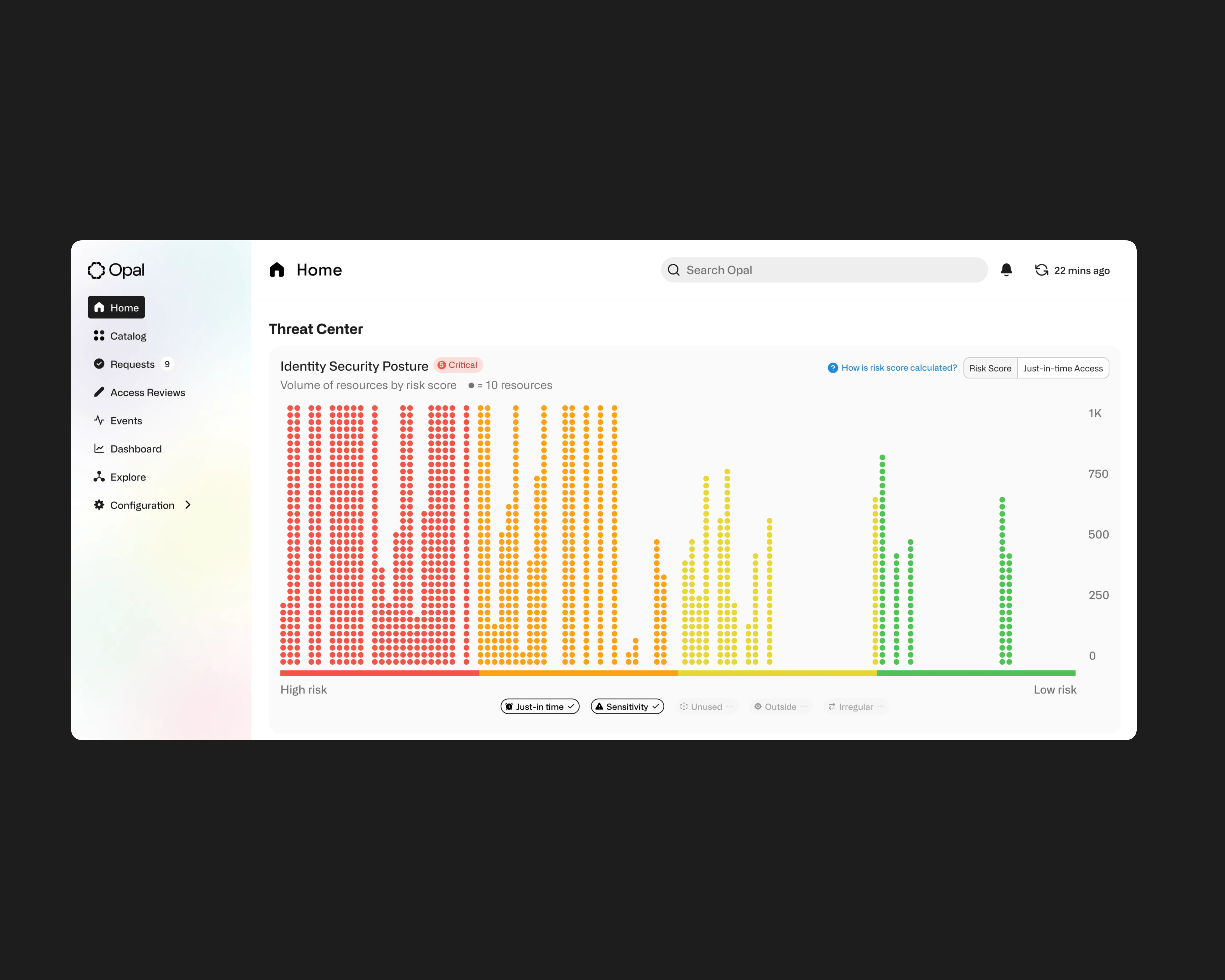
Opal Security had built a powerful infrastructure for access management, but their user-facing dashboard was failing to communicate the value of that infrastructure. The Risk Center was supposed to tell the story of identity security posture in a single view. It wasn't telling that story qualitatively or quantitatively.
The timing made the problem acute. Opal was in the middle of a strategic transformation from product-led to sales-led. The Risk Center was the centerpiece feature enterprise sales teams relied on to demonstrate the value of Least Privilege Management to prospective customers. A visualization that couldn't communicate was a visualization that couldn't sell.
The goal
Redesign the Risk Center visualization and transform "risky noise" into clear, actionable threat signals CISOs could trust.
How can you trust what you can't measure?
A visualization problem before anything else
Security teams don't have time to parse ambiguous charts. CISOs and security engineers make decisions in seconds based on what a dashboard shows them, and the cost of misreading a signal is measured in breached systems, compliance failures, and dollar figures that end careers. The Risk Center was supposed to give those teams clear signals to act on. Instead, it gave them a black box risk score and a wall of low-priority alerts that buried the critical ones.
The visualization wasn't doing the work. It couldn't tell the story qualitatively (what kind of risk is this, and what should I do about it?) or quantitatively (how much risk, trending in which direction?). That failure wasn't an aesthetic one. In identity security, an ineffective visualization directly translates to slower remediation. Slower remediation translates to real, expensive exposure.
Key Friction Points
Lack of Trust: Users didn't trust the opaque risk scoring or prioritization logic.
Disjointed Experience: The risk visualization felt disconnected from the remediation workflows.
Confusing Visualizations: Complex charts added cognitive load instead of clarity.
Signal vs. Noise: Critical risks were buried under a mountain of low-priority alerts.
Missing Context: Users couldn't see what they didn't know, leaving blind spots.
SOLUTION
From black box to command center
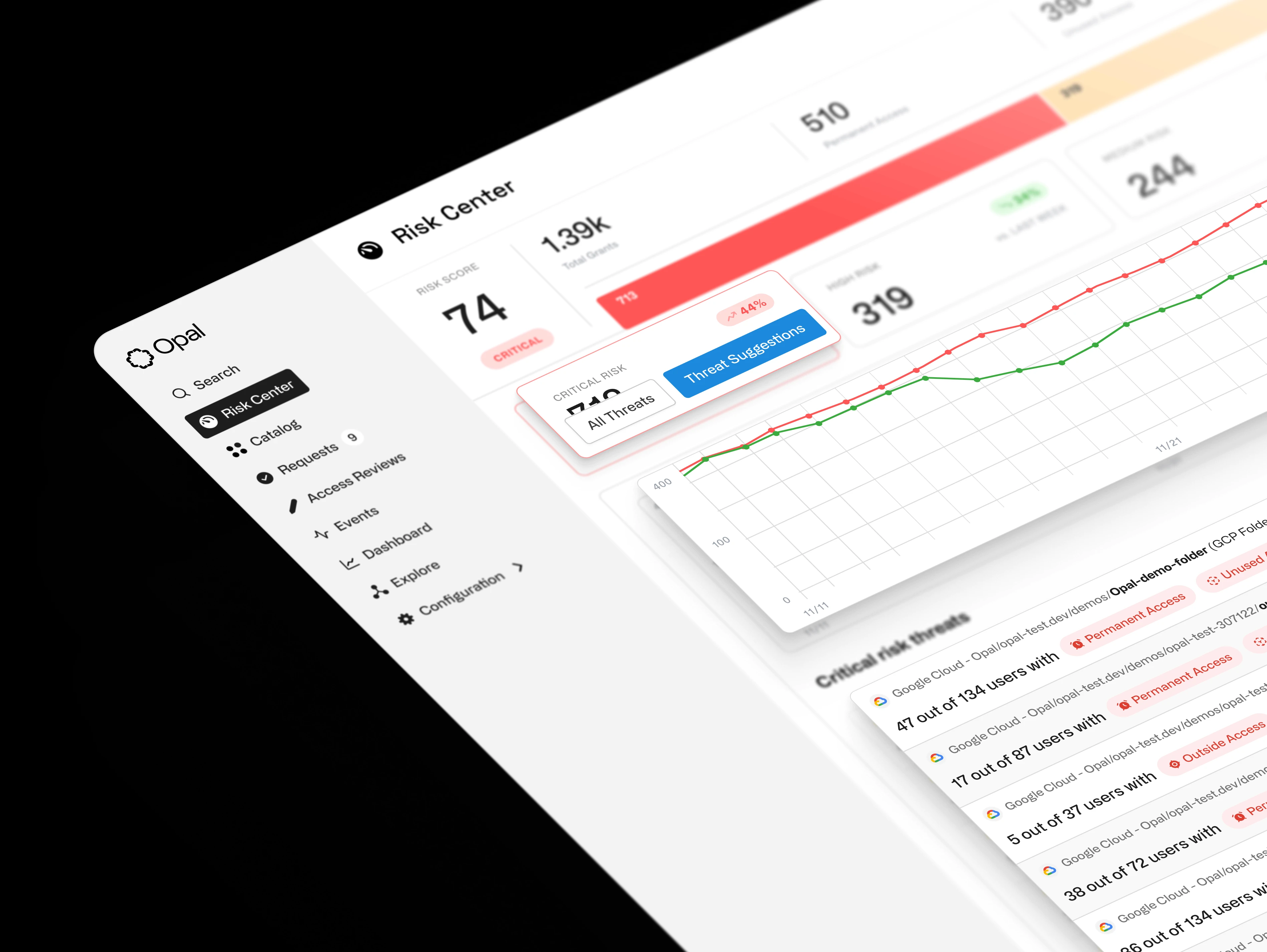
We replaced opaque scoring with transparent, actionable intelligence that empowers security teams to remediate risk proactively
The redesign treated the Risk Center as a visualization strategy, not a collection of features. Every decision asked the same question: does this help a security engineer see, understand, and act in under two seconds? We surfaced actionable context to drastically reduce the time spent identifying high-risk assets, and we built a direct path from signal to remediation so users could prioritize critical threats immediately.
This shift enabled security teams to track real progress over time, turning passive monitoring into active defense.
Opportunity Areas
Transparent Scoring: Deconstructing the "black box" to show every input from vulnerabilities to misconfigurations.
Resource Metrics: Top-level KPIs for immediate situational awareness of assets, gaps, and threats.
Threat Isolation: Dedicated views for critical risks like standing access to separate fires from hygiene.
Trend Forecasting: Historical sparklines to track remediation velocity and prove ROI to leadership.
RESEARCH
Connecting the dots with the right questions
Why users were abandoning the dashboard despite its critical role
We ran a focused UX audit combining a heuristic review against Nielsen's usability principles with targeted interviews across CISOs, security engineers, and sales teams. The goal was to uncover the structural and cognitive barriers preventing adoption before proposing a single visualization change.
Two findings reshaped the brief. Journey mapping exposed that the average user needed 12 clicks to get from a high-level alert to the specific resource needing remediation. And collaborative mapping revealed a disconnect between the system's data architecture and the user's mental model. Users thought in terms of "Threats." The system spoke in "Anomalies."
Research Activities
Stakeholder Interviews: Deep-dive sessions with CISOs and security engineers surfaced the core consensus: if I can't see how the score is calculated, I can't trust it.
Heuristic Principles Audited: An audit against Nielsen's Usability Heuristics highlighted a critical failure in Visibility of System Status. Users rarely knew if a remediation was needed or already completed.
Journey Mapping: Tracing the Request to Remediation workflow exposed 12 clicks between a high-level alert and the specific resource needing attention.
Whiteboard Sessions: Collaborative mapping revealed the Threats versus Anomalies mental model mismatch that had been quietly eroding trust in every alert.
ANALYSIS
What we learned
Security engineers don't trust what they can't verify
That insight drove four focus areas: giving users control, enforcing consistency, removing room for error, and making the value proposition impossible to miss. Every design decision that followed was tested against those four principles. The ones that couldn't defend themselves against all four went back.
Themes
User control and freedom
Consistency and standards
Error prevention and recovery
Value proposition and goal
Focus Areas
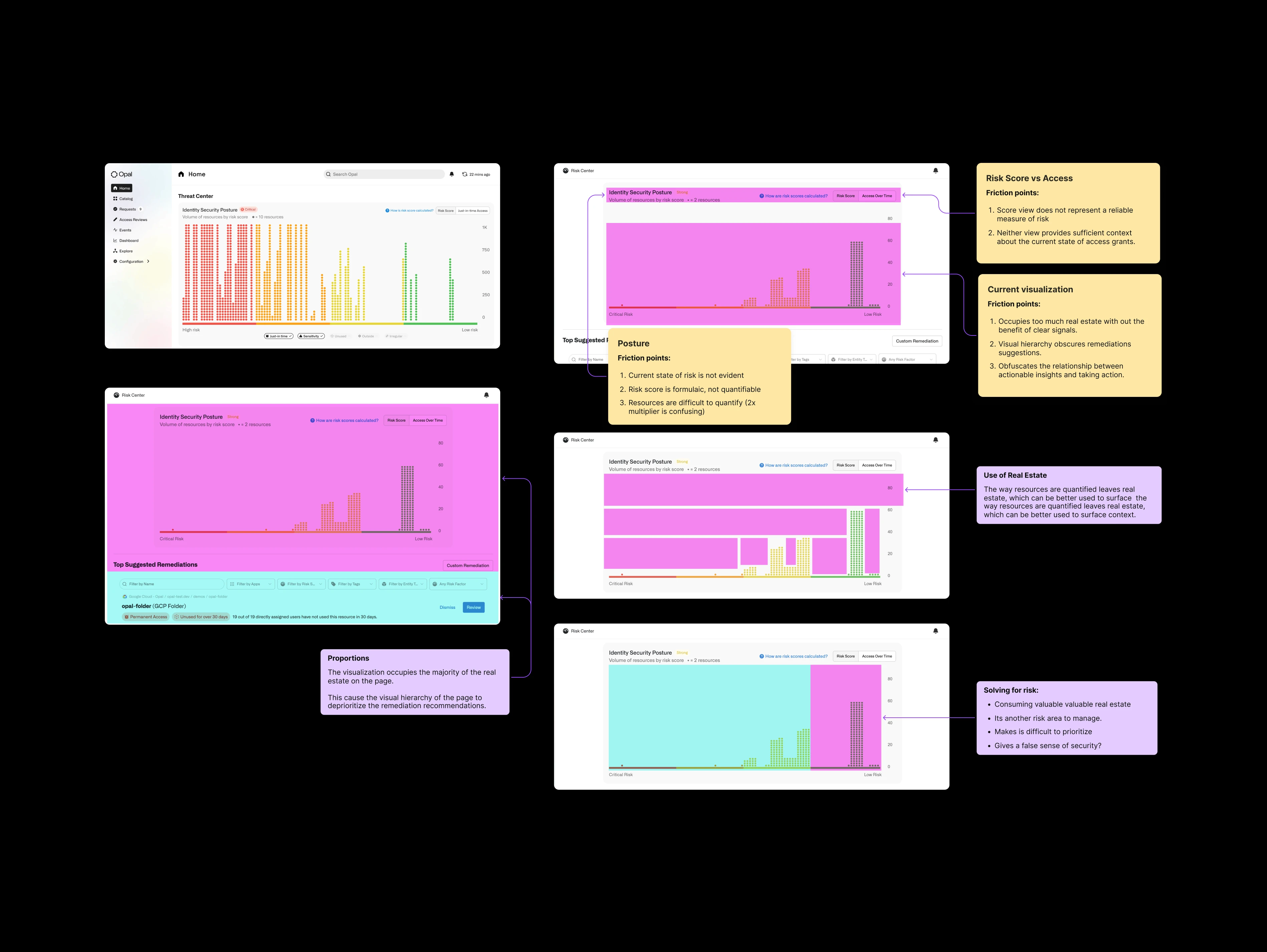
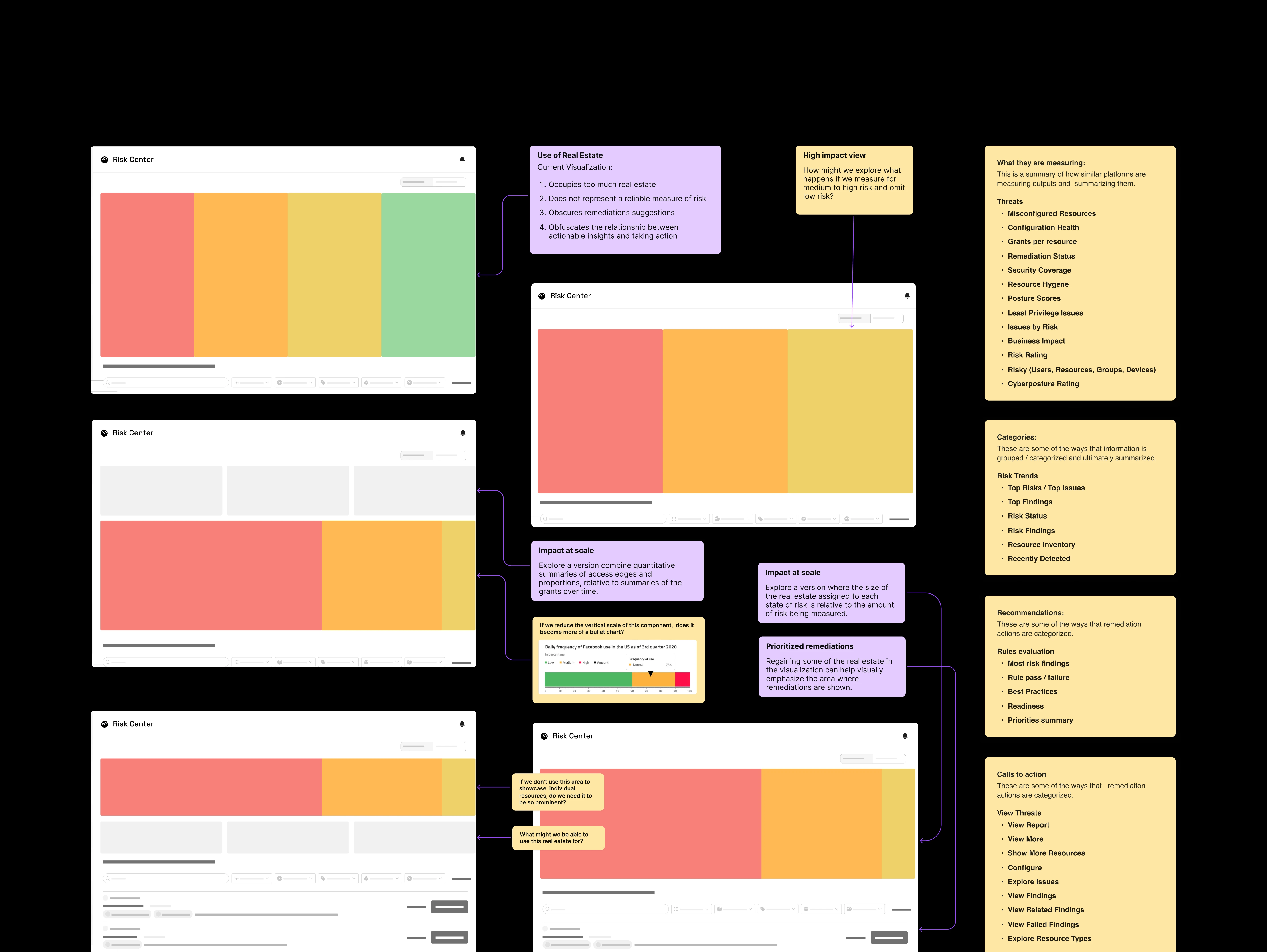
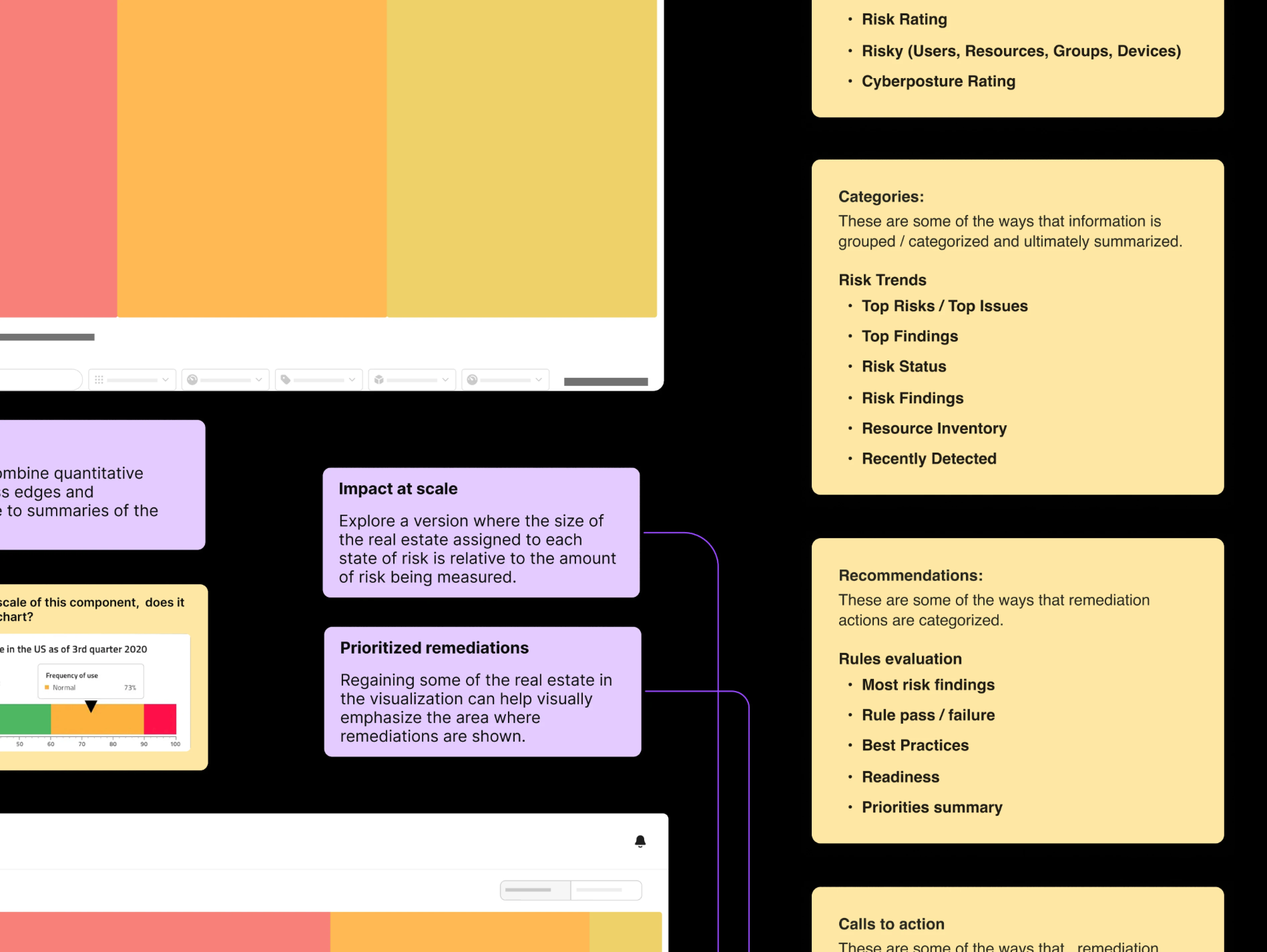
Data Postures: We tested four distinct approaches (Qualitative, Quantitative, Proportional, Distributed) to see which mental model resonated with security engineers.
Visualization Audit: We explored complex visualizations like Marimekko charts but found they added cognitive load. We pivoted to standard bar and donut charts for instant readability.
Iteration Planning: Three rounds of iteration structured so each round could ship independently if priorities shifted, with every direction testable against the four themes.
ITERATIONS
Sprint explorations
Three rounds, three modes of thinking, one visualization that earned its place
The iterations weren't linear. We cycled through quantifying risk data, auditing how engineers read visualizations, and stress-testing every assumption across three rounds before the design earned its place. Each sprint cleared a specific category of friction, and each release stood on its own if priorities shifted.
Sprint 1
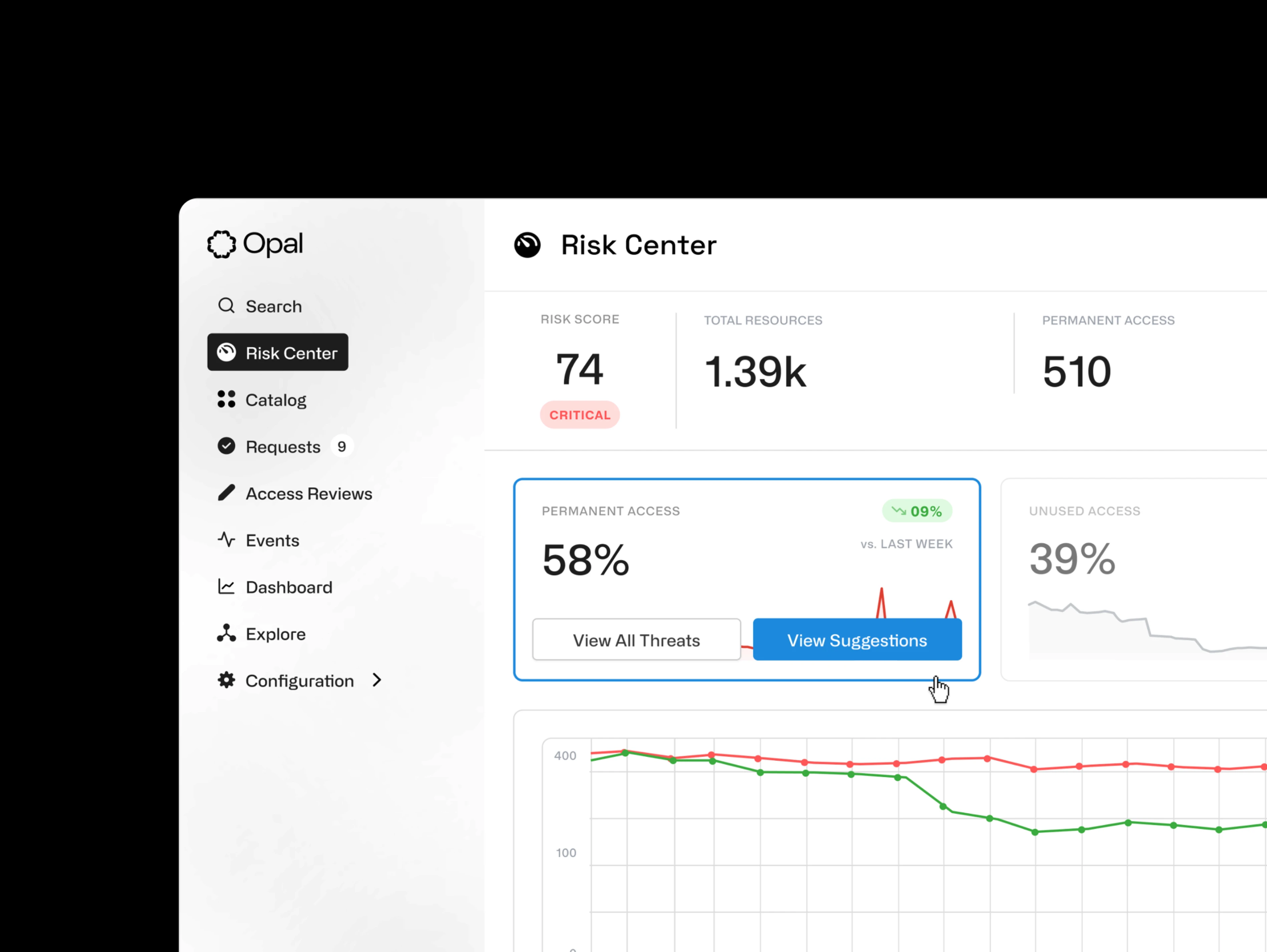
Transparent Scoring: We surfaced every input behind the risk score, from vulnerabilities to misconfigurations, so engineers could verify the math and trust it.
Threat Isolation: A dedicated Critical Risks view isolated the most dangerous vectors, such as standing access, separating immediate fires from routine hygiene tasks.
Resource Metrics: Top-level KPIs provided immediate situational awareness. Users could see total assets, coverage gaps, and active threats at a glance without digging.
Trend Forecasting: Historical sparklines allowed teams to track their remediation velocity over time, proving the ROI of their security efforts to leadership.
Sprint 2
Predictable Visibility: Moving beyond static snapshots to show where risk is heading, enabling proactive intervention.
Historical Context: Visualizing risk reduction over time to demonstrate the value of security initiatives to leadership.
Actionable Deltas: Subdued green and red indicators highlight immediate changes in risk posture and reduce cognitive load.
Density Testing: Experimented with layout variations to optimize information density and enhance discoverability.
Sprint 3
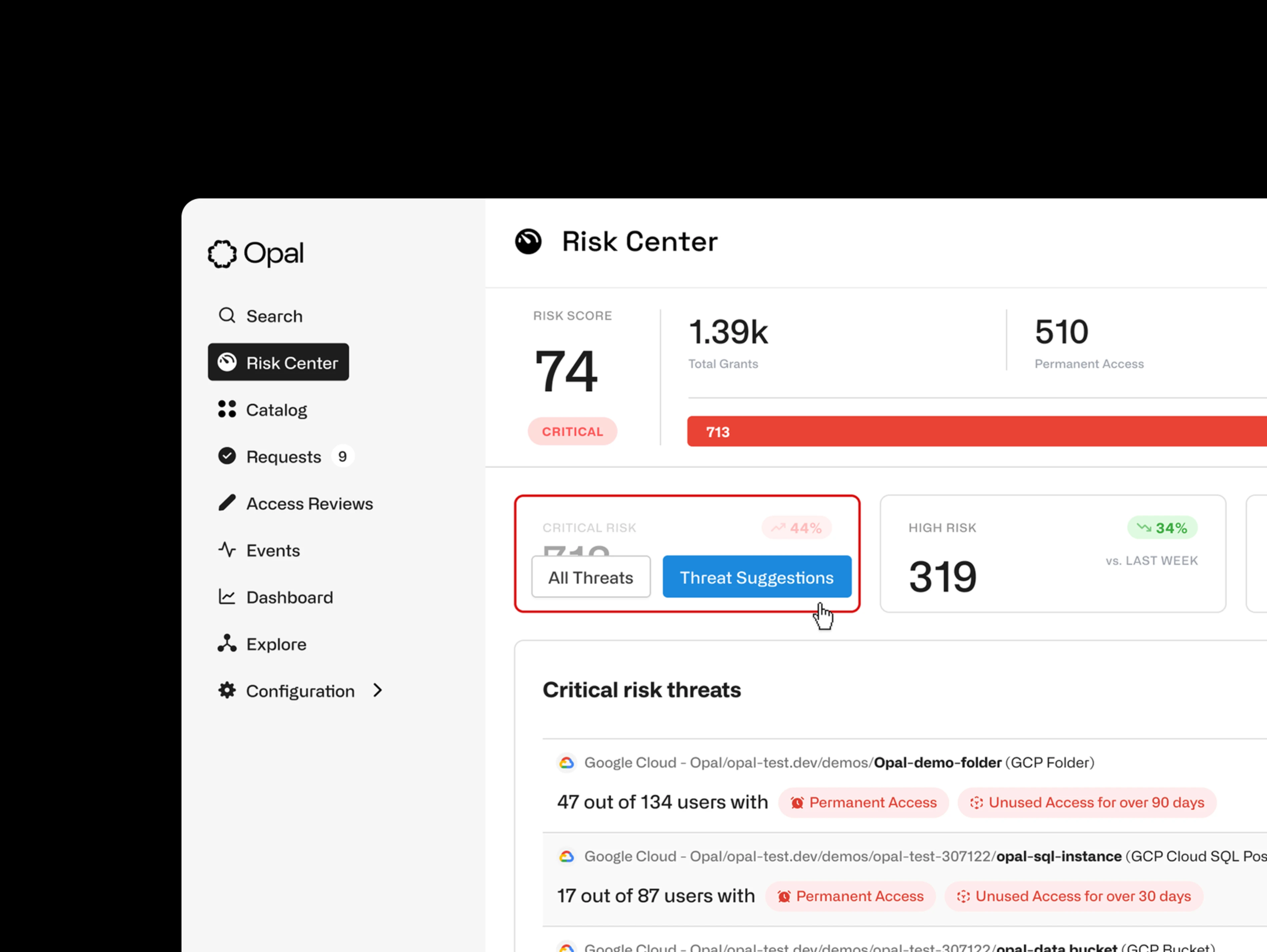
Critical Risk Categories: Grouped threats into named, actionable buckets so a wall of alerts became a structured to-do list.
Remediation in Context: Threat cards surfaced specific detail and suggested next steps inline, eliminating the context-switch to resolve.
Zoom-In Hierarchy: Solved the CISO-versus-engineer tension with one layout that scales from high-level summary to granular detail.
High-Fidelity Validation: Multiple layout variations of the Critical Risk Threats component were tested with users to lock the final information density.
5
Rounds of design iterations
12
Total stakeholder demos
36+
New components tested
FINAL DESIGNS
Clear, actionable risk posture intelligence
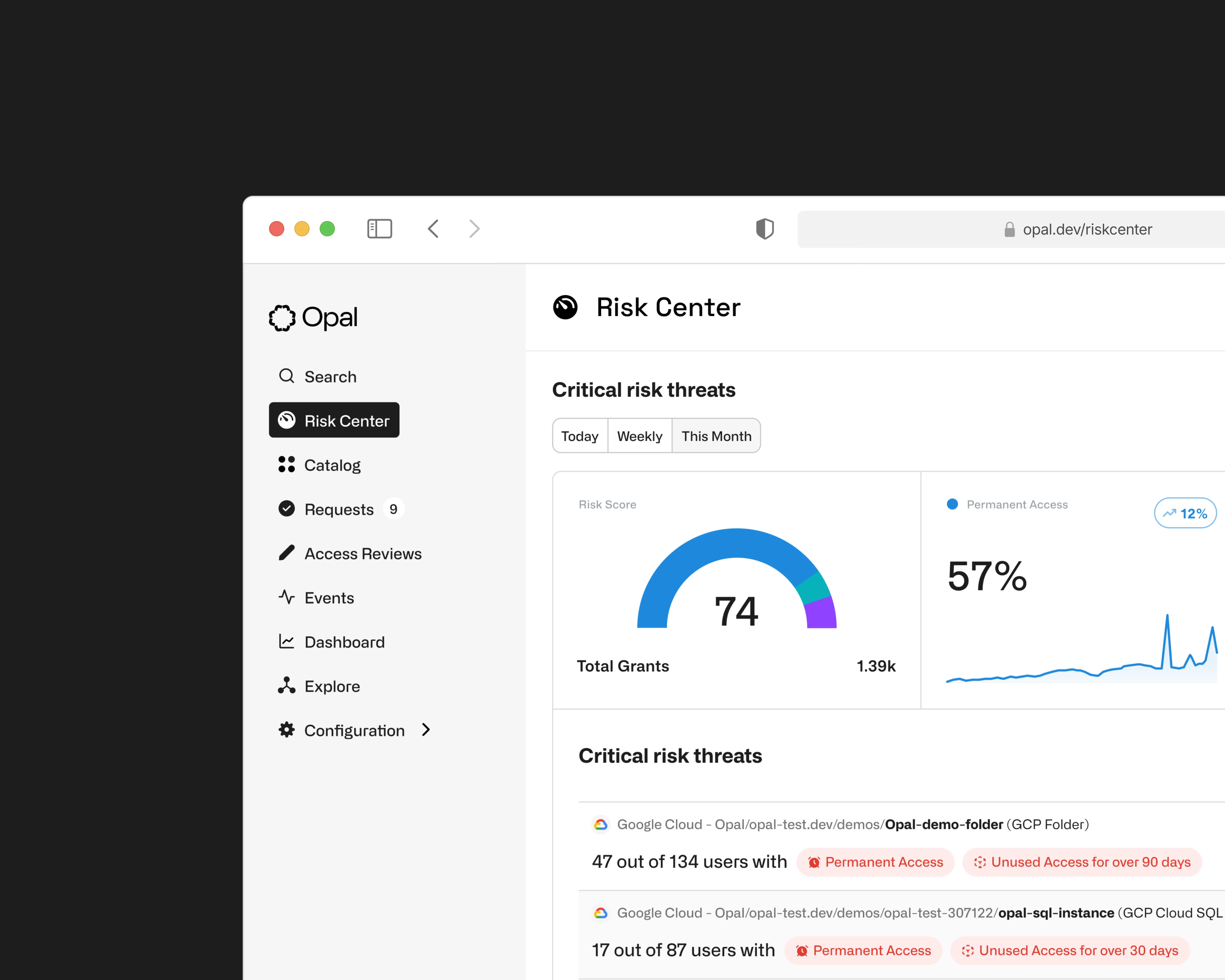
The shipped Risk Center replaced one untrustworthy score with a layered visualization that scales from CISO summary to engineer-level detail
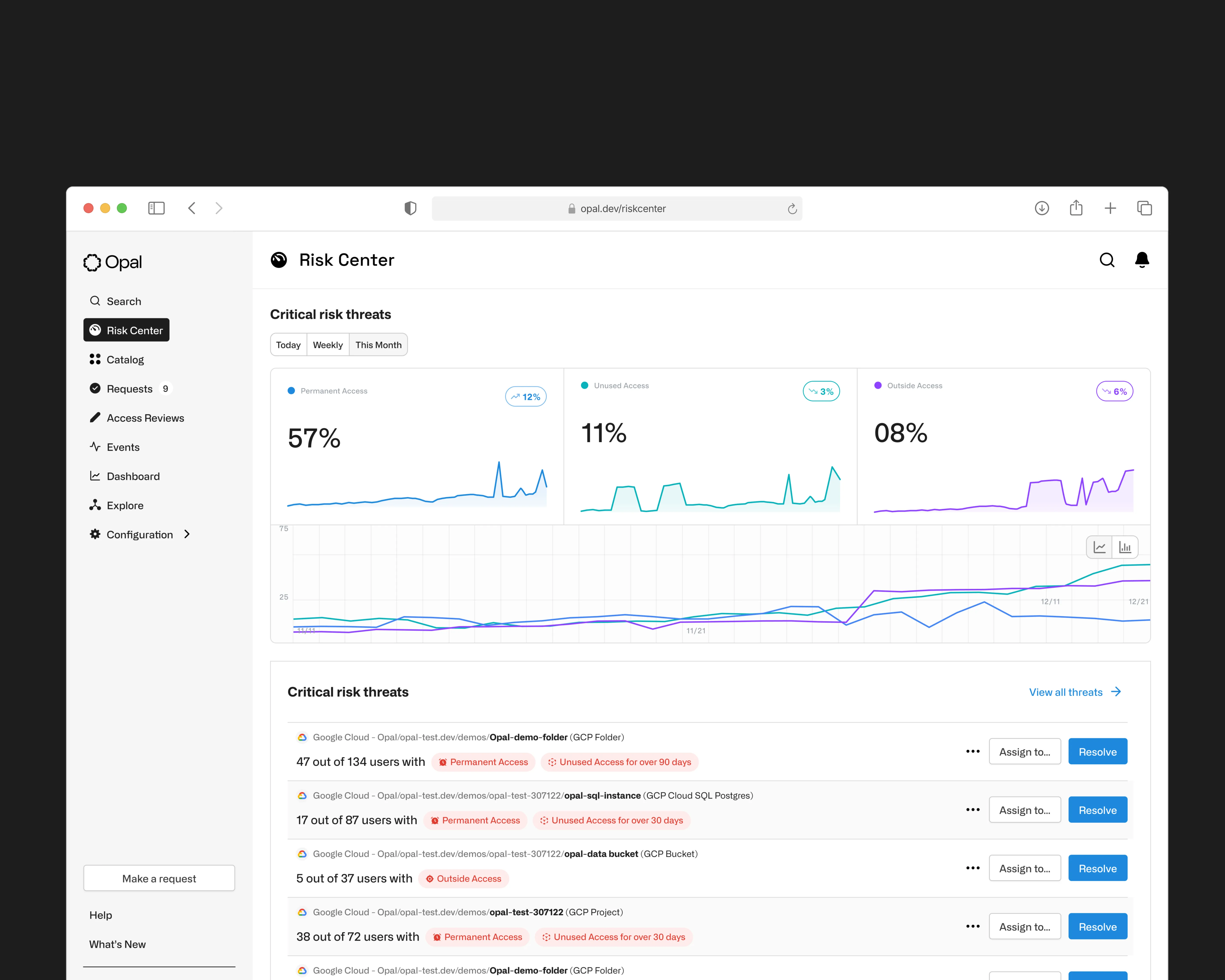
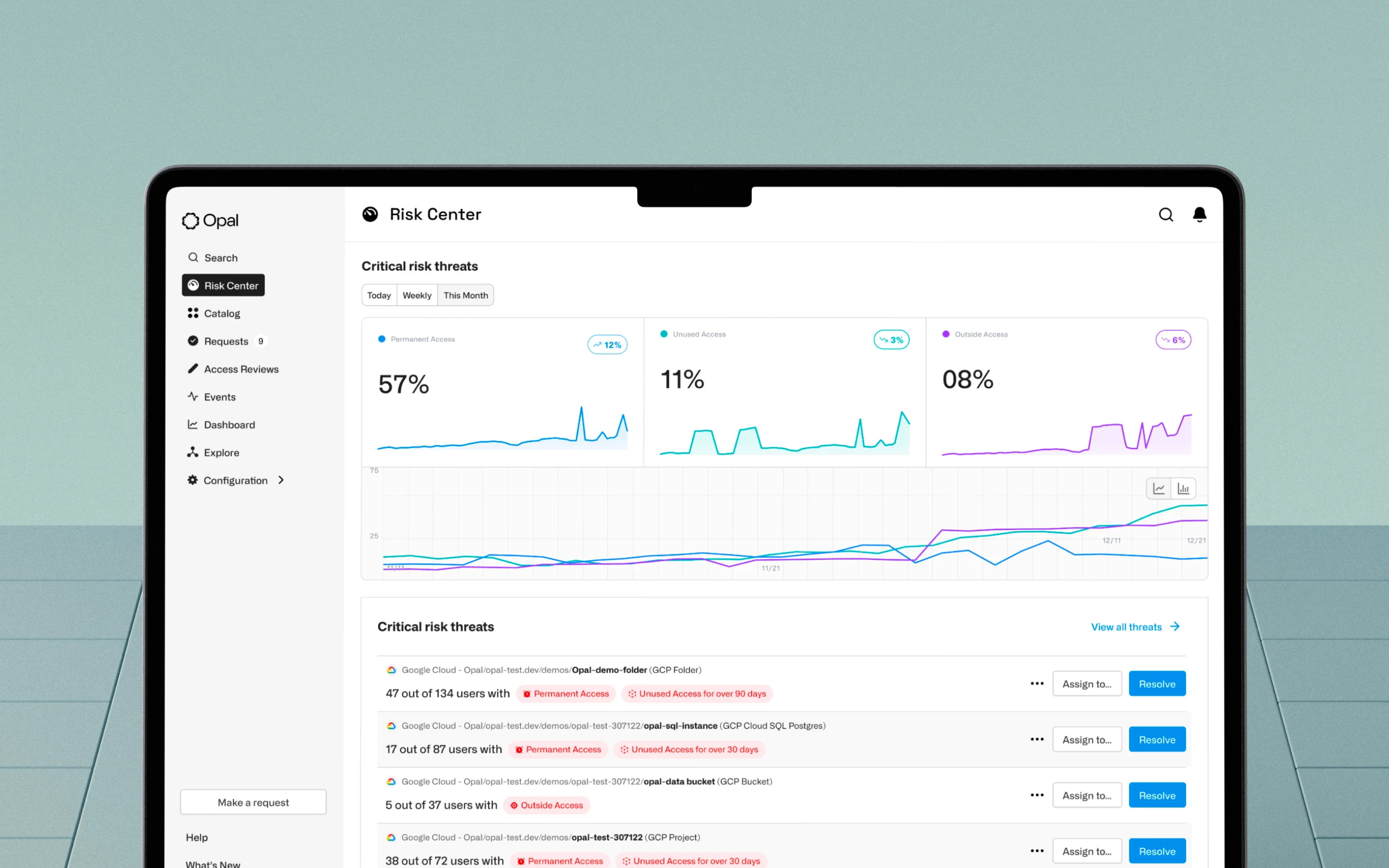
The final design refined the visual hierarchy, simplified the metrics, and introduced forecasting as a first-class feature. Critical Risk Threats became organized categories with inline remediation, so engineers could investigate and resolve without leaving the dashboard. We tested several high-fidelity variations with users to arrive at the optimal information density.
What We Delivered
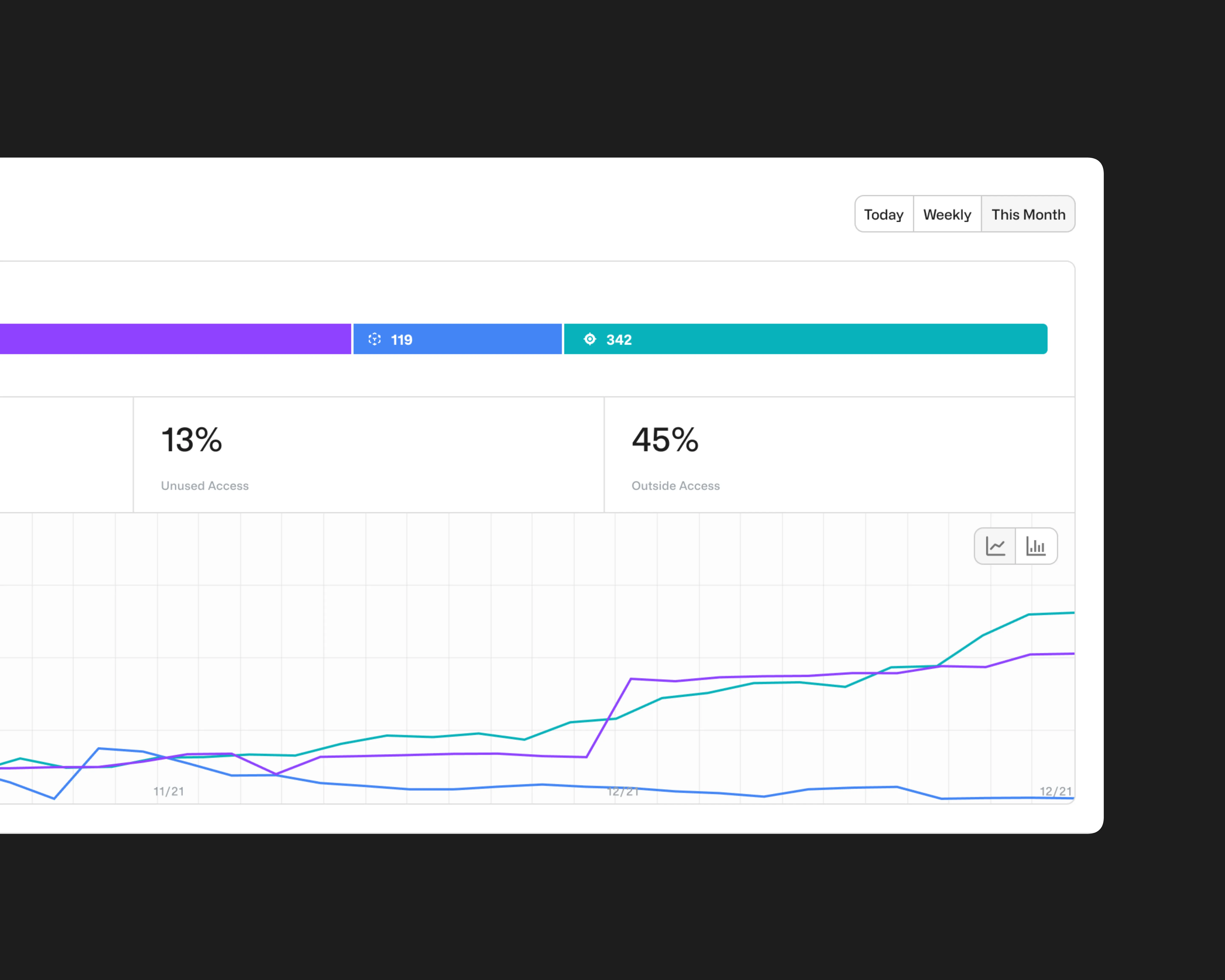
Risk Metrics at a Glance: Three core signals (Permanent Access, Unused Access, Outside Access) replaced the black box with trackable percentages engineers could act on immediately.
Trend Visibility: Each metric paired with a sparkline, giving teams a directional read on whether their security posture was improving or deteriorating.
Critical Risk Threats: A dedicated threat category system organized risks into understandable buckets, replacing a single opaque score with specific, labeled problem areas.
Remediation Built In: Threat cards surfaced contextual detail and remediation suggestions inline, so engineers could investigate and resolve without leaving the dashboard.
High-Fidelity Validation: Multiple layout variations of the Critical Risk Threats component were tested with users to optimize information density before shipping.
IMPACT DELIVERED
Measurable, reliable improvements
Startup agility, meeting enterprise impact
The final Risk Center replaced a single untrustworthy score with three transparent metrics, each backed by trend data that made directional progress visible at a glance. Critical Risk Threats gave engineers a structured way to investigate specific problem areas without context-switching, with remediation suggestions surfaced inline.
Process metrics
5 Rounds of design iterations
12 Total stakeholder demos
36+ New components tested
Features delivered
Risk Metrics at a Glance: Three core signals (Permanent Access, Unused Access, and Outside Access) replaced the black box risk score with clear, trackable percentages engineers could act on immediately.
Trend Visibility: Each metric paired with a sparkline chart, giving teams a directional read on whether their security posture was improving or deteriorating over time.
Critical Risk Threats: A dedicated threat category system organized risks into understandable buckets, replacing a single opaque score with specific, labeled problem areas.
Remediation Built In: Threat cards surfaced contextual detail and remediation suggestions inline, so engineers could investigate and resolve without leaving the dashboard.
High-Fidelity Validation: Multiple layout variations of the Critical Risk Threats component were tested with users to optimize information density before shipping the final design.